Archived Release Notes #
2020 Releases #
1.56.0 - Dec 21st, 2020 #
- Tech Bulletin 20201218 released - see Tech Bulletin section
Reports
- Call Direction now a filter on Calls by User reports.
- Modeling now able to identify calls to fax machine.
Wallboard
- Wallboard will dynamically refresh on configuration changes in another browser.
- Issue resolved where config updates could cause inconsistent agent numbers.
- RoutePath information now updated when call hits a user, not just end of call.
1.55.0 - Dec 1st, 2020 #
- Localization support for UK as well as default US.
- Fix for Overflowed call stat when overflow to external device (Ticket #44270).
- Fix for PBX Collector deployment details removed on timeout failure (from incident 12th Nov).
FireTV (Nov 23rd 1.0.20325.3)
- Back button will clear full screen alarm.
- Fix white screen if lost network connection for over 1 hour.
- Wallboard refreshes on changes to website view.
- Wallboard now more subtle about temporary loss of connection.
- Improvements to font sizing.
- Font will dynamically resize in response to change in length of field.
- Fixed possible loss of token during authentication refresh.
1.54.0 - Nov 12th, 2020 #
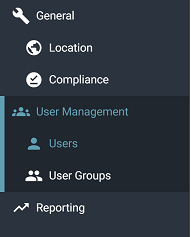
- User Groups for grouping and reporting on users now available.
- Enhanced settings section
 .
.
Reports
- Route Path and Route Path Name Fields now available to filter.
- Fix % Abandoned Tile to include detection of last segment answered.
- Fix modeling of overflow in/out for ordering of events (Ticket #44452).
- Adjust %Tiles to be based on relevant subset of calls not Total calls
(e.g. % Outgoing Answered = Outgoing Answered / Total Outgoing Calls).
Wallboards
- Fix 'Server error' in some Tile Editing scenarios.
1.53.1 - Oct 26th, 2020 #
- Modeling of Park/Retrieve and multiple user devices scenarios (Tickets #43772, #44057).
- Fix Modeling issue for unusual end of call (Ticket #44353).
Reports
- New Park Time statistics in Call Reports.
- Filters and Date ranges now show on Scheduled reports (allow you to have more than one version of the same report on a schedule).
Wallboards
- New Clone Wallboard View option (under settings of the view).
FireTV (Oct 14th 1.0.20288.2)
- Automatic region selection on startup of FireTV.
- Add support for fixed rows or column display to FireTV.
- Add Current Year, Month, Week, Day fields to FireTV.
- Add current Date/Time fields to FireTV.
- Fixed issue with Flashing Alarms that could cause a freeze.
- Additional re-connect fixes (Ticket #43892).
- Add support for FireTV Lite and All-new FireTV Stick with Alexa Voice Remote.
- Fixed Alarm sounds continuing on exit via Home button.
1.52.1 - Sep 29th, 2020 #
Reports
- Hang-up Cause Field now available in Call List Reports and Call Session View.
- Add option to ignore Short Answered calls on reports (Customer Setting).
- Add drill-down to Calls by Month, Week and Day Reports.
Wallboards
- Allow Quick Filters on Wallboard Tiles.
- Allow a user to clone a Wallboard Tile.
FireTV (Sept 25th version 1.0.20268.4)
- Remove Live, QA, Staging selection screen on startup of FireTV.
- Add support for fixed rows or column display to FireTV.
- Add Current Year, Month, Week, Day fields to FireTV.
- Add current Date/Time fields to FireTV.
1.51.1 - Sep 8th, 2020 #
- Contextual Help added to the Portals.
- Standardized definitions of Abandoned, Lost, Short Ringing and Short Answered calls.
Reports
- Allow workspace password for 3rd Party access to scheduled reports.
- Account Grouped reports only show when applicable.
- Added thousands separator to numeric fields.
- Improvements to Call Recording Media Player.
1.50.1 - Aug 24th, 2020 #
- Restrict Accounts ability to override Enterprise Branding.
- Audit logging of various events now implemented including playback of recordings.
- Update to ~.pbx.kazoo.name.~ PBX Collector to dynamically handle presence_id changes and ACD events for those with no id.
- Improvements to ~.pbx.kazoo.name.~ PBX Collector for performance and handling rate throttling and duplicate events.
Reports
- Warning displayed if using a filter that has fields that will not be applied on the current report type.
- New Queue Reports: Queue Calls by Day; Queue Calls by Day and Time; Queue Calls by Time.
- Site Based grouping implemented on reports for those with multiple PBX per customer.
- Fixed issue that could cause scheduled reports to lose column information.
Wallboards
- Allow user to configure a fixed number of rows or columns on a wallboard view.
- Manual Text Box now wraps long text message.
FireTV (July 28th version 1.0.20209.1)
- Improvements in reconnection on network failures (Tickets #43430 and #46350).
- Fixed issue that could cause loading of tiles to get stuck.
1.49.2 - Jul 21st, 2020 #
- Reseller Portal now has self service branding configuration (if license allows).
Reports
- Call Segment Recording playback is now an embedded media player.

- Reports now use latest value for grouping fields (e.g. if User Name changed use the latest value not previous one).
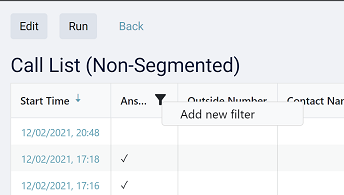
- Quick filters now only offers valid fields for filtering that report.
- Quick filters can now be added by clicking on a column heading on the report.
- Fix issue where multiple != filters did not work (Ticket #43633).
- Filtering on text fields is now case insensitive.
- Improvements to chart report axis and titles.
- Chart export options now available for PDF, PNG and SVG as well as Excel.
1.48.1 - Jun 30th, 2020 #
- Enterprise portal features now available for those wanting to provide access for resellers. Contact your account manager for more information.
- Branding update. Where configured, customized branding is now shown on the Reseller Portal in addition to the Customer Portal.
Reports
- Filter conditions can now be edited rather than deleted and re-added to change.
- 'View' report option will run report if there is no cached copy.
- 'Queue Number' field now avoids leading comma if call was via a menu.
- Fixed incorrect 'Contact Name' field on 'Top Dialed' and 'Top Received Numbers' reports.
- Fixed issue with alarm sound where only the 'Air Raid Siren' would play (Ticket #43410).
- Fixed alarm colors not resetting overnight (Ticket #43468).
- Updated documentation on how to use filter conditions.
1.47.2 - Jun 9th, 2020 #
- Customer grids now have sorting and filtering.
- Onboarding API access configuration added to the Reseller Portal.
- New version numbering for the system that matches sprint.
Reports
- Click-through reports added for duration and start time reports (see documentation for those included).
- Add indicator that Quick Filter are applied to report (number on the quick filter icon).
- Route Path Fields available to add to relevant reports which contain the outside number with any additional pre-pended info added in the Callflows.
- Fix issues with Back mechanism on Click-through reports.
1.0.20141 - May 21st, 2020 #
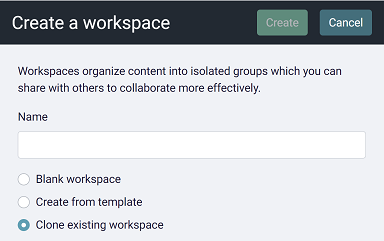
- Option to clone an existing workspace.
Reports
- Click-through Drill Down on a number of reports (see documentation for those included).
- Transferred In/Out now available as a filter option on applicable reports.
- Overflowed In/Out now available as a filter option on applicable reports.
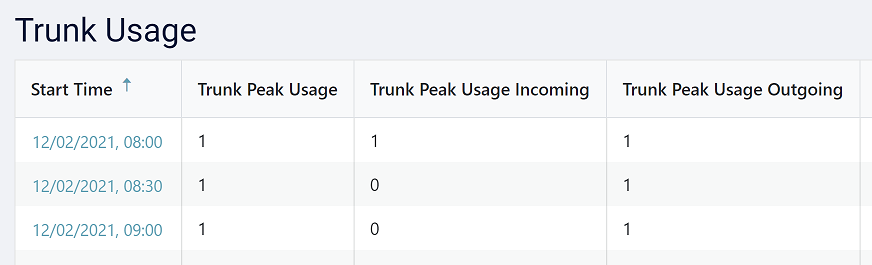
- Trunk Usage report now has a capacity setting so you can see %usage (Customer Settings->Reporting->Number of outbound lines).
1.0.20126 - May 6th, 2020 #
- Workspace creation allows using pre-configured templates.
- New Customers Default Workspace has the pre-configured 'User and System Analytics' template applied.
- Provide the option of having a Trial Period for Customers (Reseller agreement dependent).
- Allow creation of a linked user at the Reseller Portal level (or above) if they already exist as a Customer User.
- Grids with more than one page return you to the page you were on when returning to the grid.
- Double clicking prevention added to key functions.
Reports
- Save and Run option now takes you to the report screen, instead of returning you to the grid.
- Quick Filter advises on save if you have not completed adding a field.
1.0.20112 - Apr 21st, 2020 #
- New Layout to Customer Role Editing and roles to match price list parts.
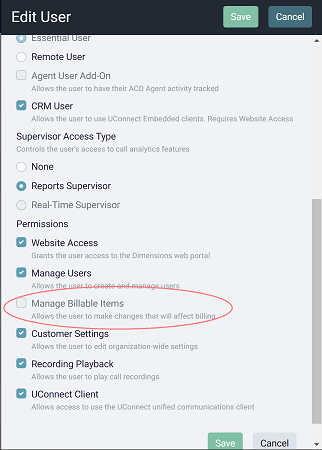
- New Manage Billable Items role to limit those who can make changes that increase the bill.
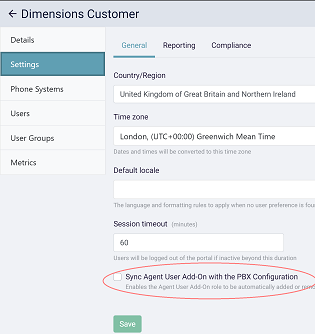
- New settings option to allow you to sync the Agent User Add-on licenses with the ~.pbx.kazoo.name.~ Qubicle/CCPro license for the user.
- New Billing Section on the Reseller Portal to enable you to see billing information.
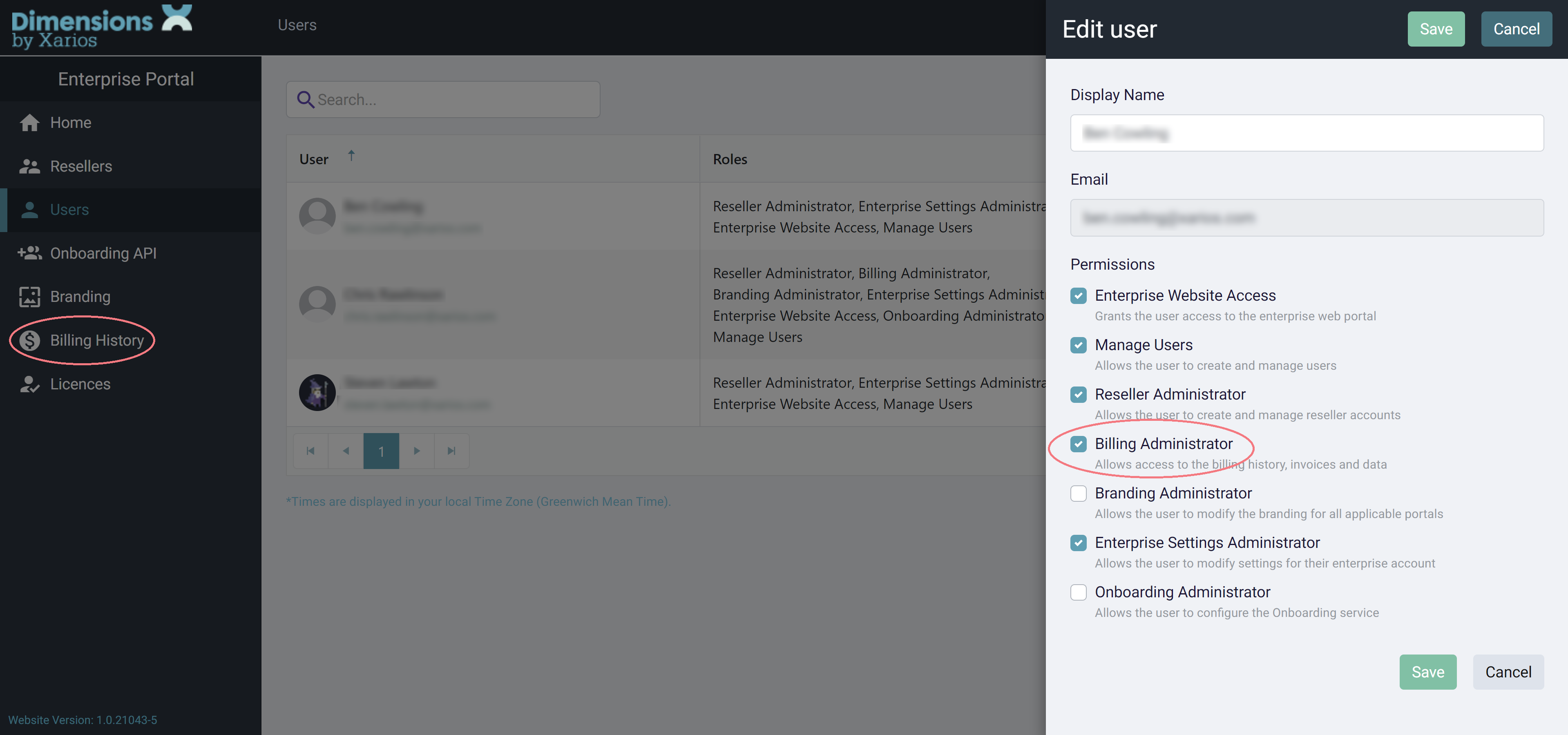
- New Billing Administration role to enable access to Billing Section.
- Clearer indication of timezone for Datetimes in the grids.
1.0.20090 - Apr 2nd, 2020 #
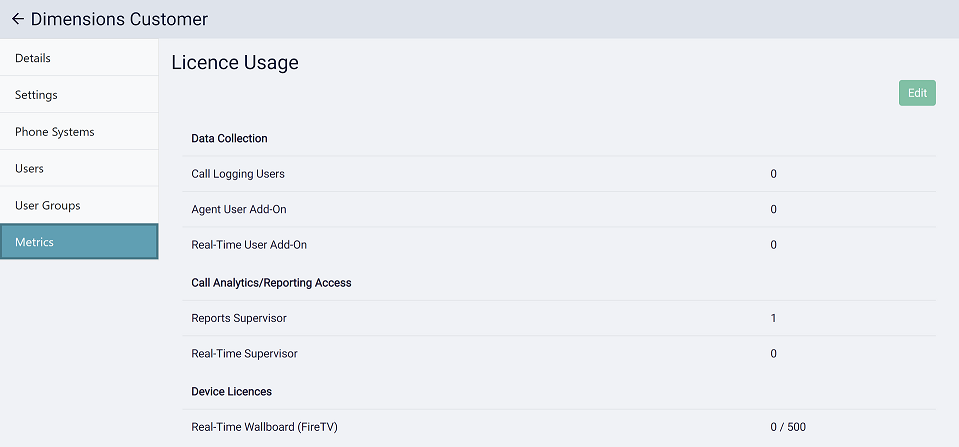
- Individual Customer license metrics now available in the Reseller Portal.
- Handle ~.pbx.kazoo.name.~ Users with duplicate email address in the same Customer.
- Billing - Do not bill for non Primary users.
- Fixed issue with users with no presence_id not being reported (Ticket #42858).
Reports
- Fixed issue with Agent Summary and Calls by Queue report not being available at the Reporter license level.
- Fixed issue with Timezone config access stopping some reports being run (Ticket #42817).
1.0.20076 - Mar 17th, 2020 #
- Reseller Portal can now edit a Customer's general settings.
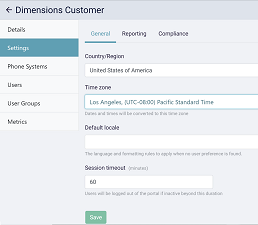
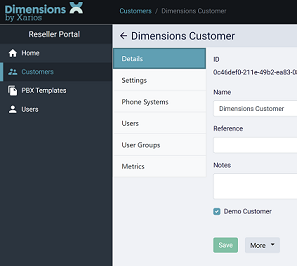
- New option to have a 'Demo' Customer which is not billed.
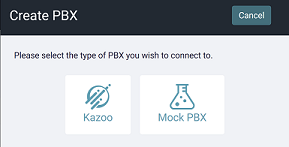
- New option to have a 'Mock PBX' on an 'In-house System' customer.
Reports
- Added option to hide features which a Service Provider does not want to sell (Agent Reports).
Wallboard
- Fixed issue where the wallboard would not display if general settings had never been edited (Ticket #6362).
1.0.20069 - Mar 10th, 2020 #
- PBX Templates are now available for configuring new connections.
- Ring Duration changes are now dynamic on reports (Wallboards actively using the statistic will need a refresh to take effect).
Reports
- Large reports now stream the results for improved performance.
Wallboard
- Call Rate and Service Level statistic fixes.
FireTV App 0.0.20064.3 released
1.0.20063 - Mar 3rd, 2020 #
- Bug fixes and performance improvements.
1.0.20056 - Feb 25th, 2020 #
- Reseller Portal now includes Customer User management area.
1.0.20045 - Feb 18th, 2020 #
- The Onboarding API now creates a default workspace and assigns it to new users when required.
Wallboard
- Current Date/Time and Current Time stats added when viewing though a web page.
- Fixed Call Queuing statistic.
1.0.20041 - Feb 11th, 2020 #
General
- Onboarding API now includes default Workspace creation.
- Fixes for detecting/avoiding out of date scripts on upgrade.
Reports
- Modeling change to include calls attempted to be presented to off-line device.
1.0.20035 - Feb 4th, 2020 #
General
- Increased default user license count for a customer.
- Added reference column to Onboarding API.
- Additional User information in Customer Portal (last login, user activation resend option...).
Reports
- Fixed issue with Report 'accordion' not sorting correctly (Ticket #42397).
- When using Qubicle/CC Pro calls tripping to voicemail will now show as a voicemail device (see Last Rang Device Name/Number field).
Wallboard
- New 'Queues Logged Into' stat for filtering Queue on Agent State (e.g. Agent Ready/Busy... in Queue).
- Active Call stats by User new filtering option (by Call).
1.0.20022 - Jan 28th, 2020 #
General
- Reseller Portal now has Customer Grid View (Name, Date Created, Status, Ref).
- Reseller Portal Documentation released.
Reports
- Segmented View now has Segment labels.
- Modeling of Qubicle Queues to give reporting of ring time and voicemail.
Wallboard
- Create view highlights type choices.
- Tool-tips added to create view.
1.0.20016 - Jan 21st, 2020 #
General
- Onboarding API PBX creation on Customer creation fixed.
- Onboarding API new option for PBX creation on existing customer.
- Allow email address change across linked accounts.
Reports
- Further improvements to Segmented View.
1.0.20014 - Jan 14th, 2020 #
General
User selection drop down for linked accounts filtered to current portal tier. ~.pbx.kazoo.name.~ PBX Queue changes now dynamically updated.
1.0.20006 - Jan 7th, 2020 #
General
- Reseller Portal first release.
- Fixed issue with not being able to activate accounts created from PBX (Ticket #42145).
- Fixed issue with filtering on certain users (Ticket #42173).
Reports
- Improvements to segmented view.